If your catalogue looks inconsistent, the problem is almost never the camera. It's that nobody wrote the rules down. One kurta was shot in March against a slightly grey wall, the next drop was shot in June by someone else at a different angle, and the earrings were done on a phone. A good catalogue shoot fixes this by deciding everything in advance: the brief, the shot list for each category, the background, light, angles, crops and colour, and how files are named and delivered. Then every SKU goes through the same process, whether it's the first or the four-hundredth.
This checklist is for founders of fashion and jewellery brands selling on their own store and on marketplaces. It's the same process our content production team uses for catalogue work, and you can copy it whether you shoot in-house or hire a studio.
Why does a catalogue look inconsistent?
A catalogue looks inconsistent when each shoot makes its own decisions. The usual causes:
- Different backgrounds: pure white one day, grey the next.
- Changing light: window daylight shifts through the day and the seasons.
- No fixed angles or crops: products sit at different sizes in the frame.
- Colour drift: no grey card, and edits done by eye on different screens.
- Mixed methods: some tops on a model, some flat, some on a hanger.
Shoppers notice. A collection page where every tile looks different feels less trustworthy, and colour that doesn't match the product leads to returns. If returns and refused COD orders are already eating your margin, our post on COD and RTO for D2C brands covers the rest of the fix.
What goes in a catalogue shoot brief?
A catalogue shoot brief is one page that answers every question the photographer would otherwise guess at. Write it before you book anything.
- SKU list with codes, colourways and sizes
- Where images go: your store, which marketplaces, ads, social
- Method and shot list per category
- Background, lighting and crop rules, with a reference image
- Model specs and styling notes, if needed
- Retouching rules: what can be cleaned up, what must not change
- File naming and delivery date
If you're launching for Diwali or the wedding season, shoot weeks before the sale so product pages and ads are ready when traffic arrives.
What should the shot list be for each category?
The shot list should be fixed per category, so every product in that category gets the same set of images in the same order. Here's a starting point.
| Category | Core shots | Extra shots worth adding |
|---|---|---|
| Tops, kurtas, dresses | Front, back, side, close-up of fabric and print | Neckline, sleeve, hem detail, on-model walking or turning |
| Sarees and lehengas | Full drape front, pallu, border close-up, blouse | Fabric texture in raking light, styled full look |
| Bottoms | Front, back, side, waistband | Pocket and fit detail |
| Bags | Front, back, side, top open (interior) | Strap length, hardware close-up, on-shoulder for scale |
| Necklaces and sets | White-background hero, angles, clasp | On-model for scale, macro of stones |
| Earrings and rings | Hero, side profile, back (post or shank) | On ear or hand for scale, hallmark close-up |
For jewellery, our jewellery photography guide goes deeper on lighting metal and stones, macro shots and hallmark close-ups.
What consistency rules should you lock before the shoot?
Lock five things before the first frame and don't change them mid-catalogue: background, lighting, angles, crop and colour. Write the settings down so the next shoot can repeat them.
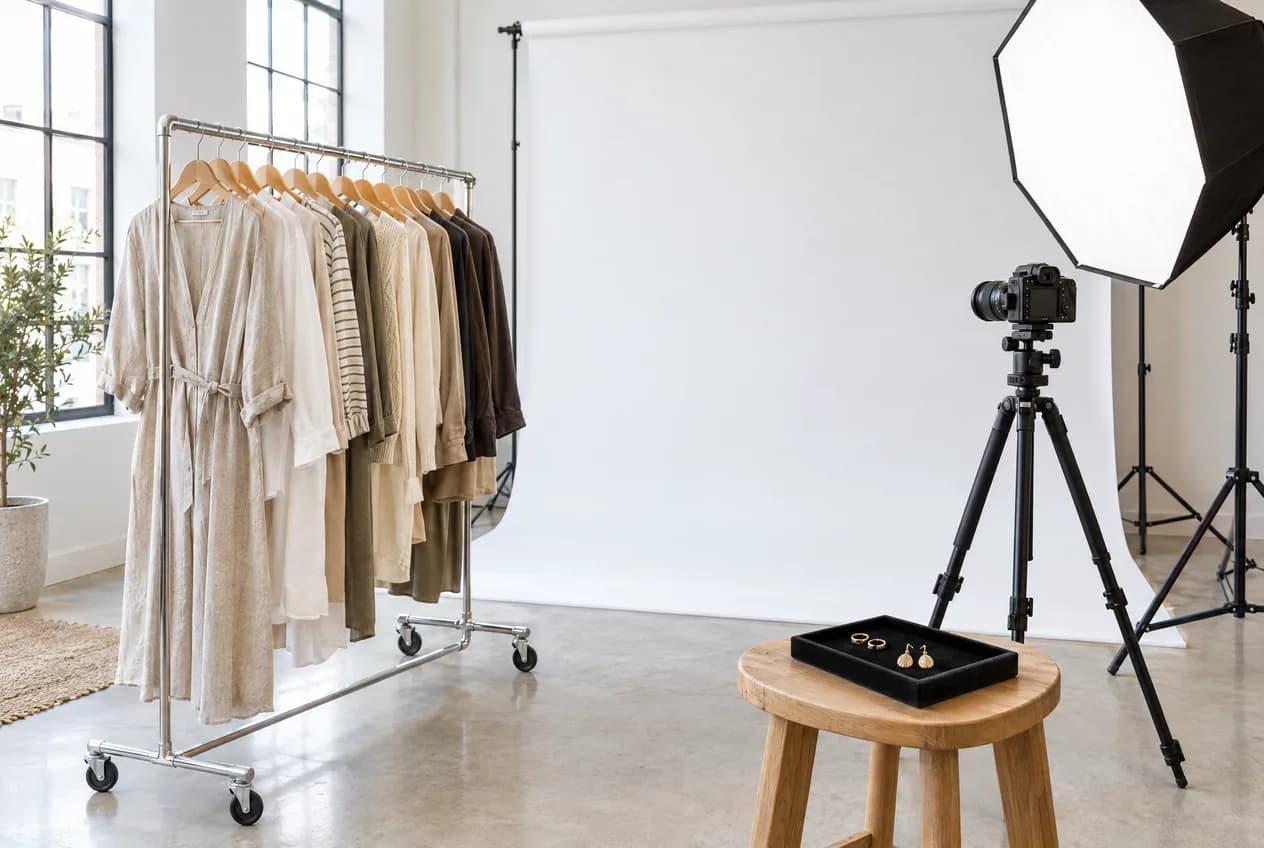
Background. One background for the main image, every time. Marketplaces generally want plain white; your own store can use white or a consistent brand colour. Use seamless paper, not a painted wall.
Lighting. Studio lights, not window light. Note each light's position, modifier and distance, and photograph the set-up for next time.
Angles. Fix camera height and distance per category, and tape the floor where the camera, model or product goes.
Crops. Fix the aspect ratio and where the product sits in the frame, then apply one crop template to every image in post.
Colour. Shoot a grey card at the start of each set-up and whenever the light changes, and set white balance from it. Check edits on a calibrated screen and compare fabric to the real garment before approving.
Keep one approved reference image on set for each category. Every new shot gets compared against it.
On-model, flat lay or ghost mannequin: which should you use?
Use on-model when fit and drape sell the product, flat lay when you need speed and a clean overview, and ghost mannequin when you want shape without a model. Most fashion catalogues mix them, but the rule is one method per category, never per product.
| Method | Best for | Watch out for |
|---|---|---|
| On-model | Dresses, kurtas, sarees, jewellery scale | Repeatable poses, usage rights |
| Flat lay | T-shirts, kidswear, sets | Needs careful steaming and styling |
| Ghost mannequin | Shirts, jackets, structured tops | Extra editing to remove the mannequin |
Whatever you choose, get written model releases that cover where and how long you'll use the images, including ads.
What do marketplaces require for product images?
Marketplaces set their own image rules, and they change. We couldn't verify the current Amazon India, Myntra, Flipkart or Nykaa seller guidelines from official public help pages (checked on 3 November 2026), so check each one's current image guide in your seller account before you shoot.
In general, marketplace guides ask for a plain, usually white, background on the main image, the product filling most of the frame, no text, logos or watermarks, a minimum size that allows zoom, set file formats, and extra rules for categories like apparel and jewellery.
So shoot large, uncropped masters on a clean background. You can then export a main image to each marketplace's spec, and styled versions for your own store, from the same shoot.
How should you name and deliver catalogue files?
Name files so anyone on your team can find an image without opening it. A simple pattern works: SKU code, colour, shot number, channel. For example: KRT1042_indigo_01_front_web.jpg. Keep it lowercase, use underscores, and never use spaces or "final_final".
Ask for four folders: masters (full resolution, uncropped), web (cropped and compressed), marketplace (one subfolder each, to its current spec) and social and ads (square and vertical crops). Keep them in one shared drive per collection, with the brief and reference images alongside. If you're also shooting video on the same day, our product video shoot checklist shows how to plan stills and video from one set-up.
Copyable catalogue shoot checklist
| Stage | Task | Done |
|---|---|---|
| Before | Brief written and approved | |
| Products steamed, tags removed | ||
| Method and shot list per category agreed | ||
| Background, light, angle and crop rules written down | ||
| Reference image chosen per category | ||
| Model release signed | ||
| Current marketplace image guides checked | ||
| On set | Grey card shot at each set-up | |
| Camera and floor positions marked | ||
| Every SKU checked against the reference and shot list | ||
| After | Retouching is clean-up only, no design changes | |
| Colour checked against the real product | ||
| Files named and delivered in four folders | ||
| Set-up photos and settings saved for next time |
Brands in Delhi NCR can bring products to our studio in Mayur Vihar Phase 1, and brands elsewhere can courier them. See how we work with clothing brands and jewellery brands, or read about our Delhi team.
FAQs
What is a catalogue shoot?
A catalogue shoot is a planned photo shoot of a product range, done to one set of rules so every image looks consistent across your store, marketplaces and ads.
How do I keep my catalogue photos consistent across shoots?
Write down the background, lighting, camera position, crop and colour process, keep a reference image per category, use studio lights instead of daylight, and shoot a grey card at every set-up.
Should I shoot on-model or flat lay for my clothing brand?
On-model when fit and drape matter, like dresses and sarees; flat lay for simpler items like T-shirts. Pick one method per category and stick to it.
What image size do marketplaces need?
It varies by marketplace and category, and the rules change, so check each seller account's current image guide. High-resolution, uncropped masters let you export to any spec later.
How many photos should each product have?
Enough to answer what a shopper would ask in a shop: every side, the fabric or finish, and the fit or size. Fix the number per category in your shot list.
How should catalogue files be named?
Use a fixed pattern such as SKU code, colour, shot number and channel, in lowercase with underscores, so images are easy to find and bulk-upload.
Need a catalogue shot to one standard from the first SKU to the last? Talk to our content production team.